
Successful ERP integration best practices involve defining clear business goals, prioritizing strict data hygiene, and selecting a robust integration platform to unify accounting, CRM, and e-commerce tools. Implementing these connections in phases ensures a seamless flow of information across the organization while minimizing technical complexity and data silos.
Maintaining a growing enterprise often leads to a fragmented digital ecosystem where accounting, inventory, and e-commerce platforms operate as isolated silos. This lack of synchronization forces your team into a cycle of manual data entry and constant reconciliation; these inefficiencies inevitably result in costly reporting errors and delayed decision making. True operational excellence requires more than just functional software. It demands a seamless, automated flow of data that provides cross-functional visibility. In this guide, we will examine the strategic workflows necessary to connect your core systems into a unified single source of truth. You will learn how to navigate the architectural choices between point to point and middleware solutions, avoid common implementation pitfalls, and apply the best practices required to ensure your technology stack scales alongside your operational demands.
Why ERP Integration is the Backbone of Modern Business Operations
Many growing businesses eventually find themselves trapped in software spaghetti. This occurs when the CRM does not talk to the accounting software, and inventory levels remain a mystery until someone manually updates a spreadsheet. Data lives in isolated silos, forcing staff to duplicate efforts and increasing the risk of costly human error.
ERP integration is the process of connecting your Enterprise Resource Planning system to specialized tools like e-commerce storefronts or shipping platforms. For small and mid-sized businesses, this is not just a technical task; it is about building a central nervous system for the company. True integration differs significantly from a simple periodic import/export of CSV files. It establishes a real-time data flow where an online sale immediately triggers an inventory adjustment and an accounting entry. This eliminates the lag time that leads to overselling or delayed financial reporting.
At ERP & Software Consulting, we focus on modernizing operations by replacing these fragmented processes with automated workflows. By starting with thorough requirements gathering, we help businesses in Utah and across the country transition from manual data entry to a unified digital environment. Implementing ERP integration best practices ensures that your data remains a reliable asset that supports scalable growth rather than a source of operational confusion.
Connecting the Core Four: Strategic Integration Workflows

Building a central nervous system requires focusing on the four primary pillars of your business data. When these systems operate in isolation, the business loses speed. Strategic integration ensures that data moves between these functions without friction, turning manual handoffs into automated triggers.
### 1. Accounting: Closing the Books with Confidence The primary goal of connecting your ERP to your financial modules is automating the flow into the General Ledger (GL). When you sync sales, procurement, and payroll data directly to the GL, you eliminate the need for manual journal entries. This connection significantly reduces the time required for month-end closing. Instead of spending the first week of a new month reconciling bank statements and correcting entry errors, your finance team can focus on analyzing performance. Accurate integration ensures that every transaction is categorized correctly the moment it occurs, providing a real-time view of your cash flow and liabilities.
### 2. Inventory: Mastering 'Available to Promise' Logic Inventory integration is about more than just counting boxes; it is about Available to Promise (ATP) logic. ATP represents the inventory you actually have available to sell after subtracting existing commitments and backorders. Without a real-time sync between your warehouse and your sales channels, you risk overselling items you no longer have in stock. A robust integration ensures that as soon as a sales order is placed, that inventory is earmarked, and the updated count is pushed to all sales channels simultaneously. This prevents the operational nightmare of customer service teams having to issue refunds for out-of-stock items.
### 3. CRM: Accelerating the Quote-to-Cash Lifecycle The Quote-to-Cash lifecycle is where sales velocity is gained or lost. In a siloed environment, a salesperson closes a deal in the CRM, and then an operations staffer must manually re-key that lead's information into the ERP to generate an invoice. Integration allows a "Closed-Won" status in the CRM to automatically trigger a Sales Order in the ERP. This keeps the sales team focused on the next lead while ensuring that fulfillment and finance teams have immediate, accurate data to begin their work.
### 4. E-commerce: Creating a Two-Way Data Loop E-commerce integration requires a two-way sync to be effective. Orders must flow from the storefront into the ERP for fulfillment, while shipping status and tracking numbers must flow back out to the customer. For this to work, data mapping must be precise. Discrepancies in SKU formats or tax codes can break the connection and lead to shipping delays or accounting errors.
Data Point | Purpose of Integration |
|---|---|
SKUs | Ensures the correct physical item is picked and deducted from stock. |
Customer IDs | Prevents duplicate profiles and links order history to a single record. |
Tax Codes | Ensures local and state compliance is met at the point of sale. |
Shipping Status | Triggers automated customer notifications and finalizes revenue recognition. |
Achieving these results starts with meticulous requirements gathering to identify which data fields are critical for your specific model. If you are ready to stop managing spreadsheets and start modernizing operations, you can contact our consulting team to evaluate your current software stack.
ERP Integration Best Practices for Scalable Growth
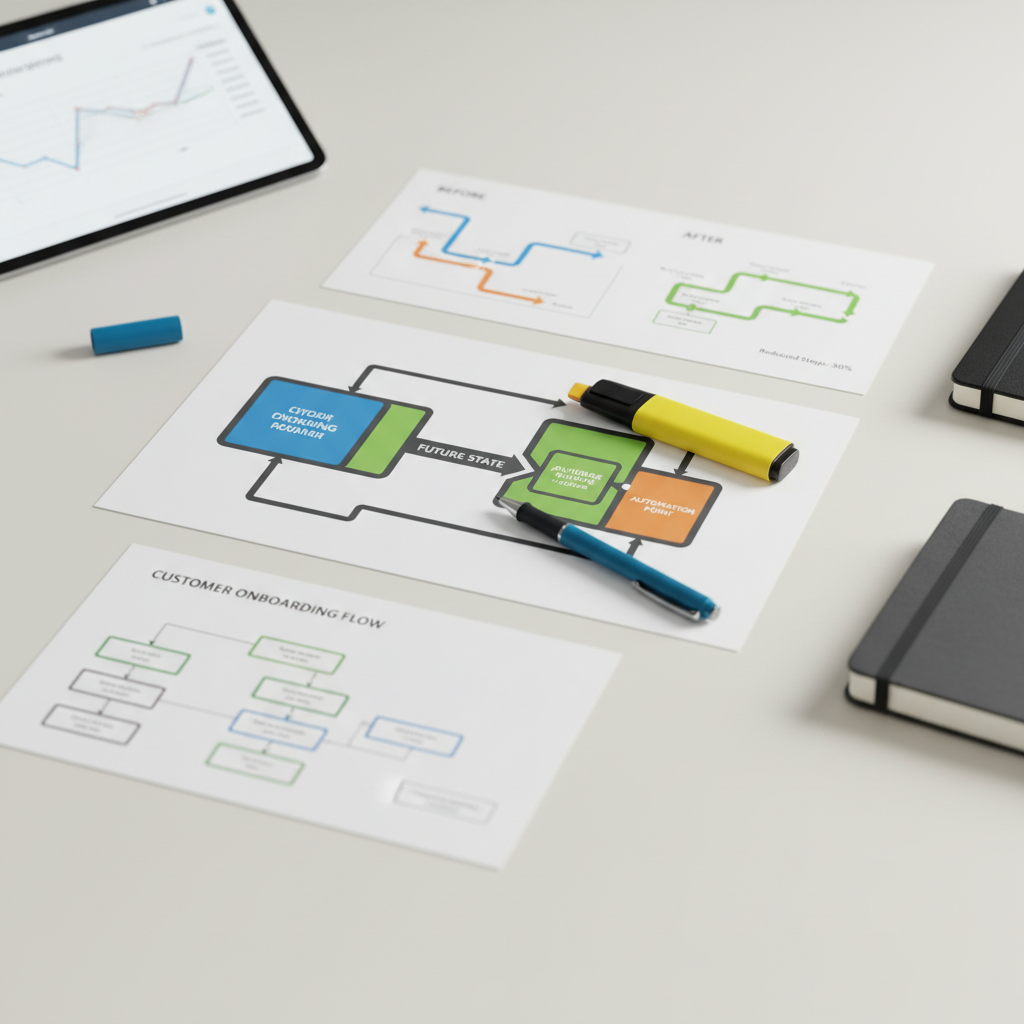
Transitioning from mapping out the core four pillars, the focus shifts to technical execution. Establishing a robust framework prevents your digital infrastructure from crumbling as transaction volumes increase. Applying proven ERP integration best practices ensures that the system scales with your revenue rather than becoming a bottleneck.
First, prioritize data hygiene. The principle of "garbage in, garbage out" is particularly destructive in automated environments. If your CRM contains duplicate customer records or your warehouse uses inconsistent SKU formats, the integration will broadcast those errors across every connected platform instantly. Auditing and cleaning master data, such as standardizing address formats and reconciling inventory part numbers, is the prerequisite for modernizing operations successfully.
Second, choose an API-first approach. Modern REST APIs are far superior to legacy flat-file transfers or periodic CSV exports. APIs allow for secure, real-time communication between systems, ensuring that when a price changes in your ERP, it updates on your e-commerce site within seconds. This method is more robust and easier to maintain than older, brittle file-drop methods that frequently break during software updates.
Third, implement your systems in phases. Attempting a big bang implementation, where every department switches to a new integrated workflow simultaneously, often leads to confusion and downtime. We recommend starting with the foundational link between Accounting and Inventory. This connection addresses the most critical business needs: cash flow and stock accuracy. Once this core is stable, you can layer on CRM and e-commerce modules. This methodical progression allows your team to adapt to new workflows without being overwhelmed.
Finally, establish clear error handling and logging protocols. Even the best integrations encounter hiccups, such as a timeout during a server refresh or a missing data field in a new customer profile. Without a system that logs these failures and alerts a human administrator, a sales order could sit in limbo for days. During the requirements gathering phase, a specialist should define exactly how the system handles these exceptions. If you are currently evaluating a new system, you can contact our consulting team to ensure your technical requirements include these essential safeguards.
Common Challenges: Avoiding the Integration Pitfalls

Integration projects often hit hurdles not because of the software itself, but due to overlooked logical gaps. Data compatibility is a primary offender. If your e-commerce platform processes orders in units while your warehouse ERP tracks pallets or cases, the automated sync will create inventory chaos. Mapping these units of measure correctly during the requirements gathering phase prevents shipping errors that erode customer trust.
Another common pitfall is customization complexity. While it is tempting to tailor every screen to a specific user preference, over-customizing often breaks standard API connections. This makes future software updates difficult and expensive. Sticking to standard functionality where possible ensures your integration remains stable as your business grows and software vendors release new versions.
Finally, do not underestimate change management. The most sophisticated automation is useless if your team does not trust the numbers they see on their dashboard. Modernizing operations requires a commitment to ongoing improvement and staff training. If a team member feels the new system is a burden rather than a tool, they will revert to manual workarounds and spreadsheets. Addressing these human factors is just as critical as the technical sync. If you encounter these friction points, you can contact our consulting team to help refine your processes and ensure your data remains actionable for leadership.
Choosing Your Integration Strategy: Point to Point vs. Middleware
Selecting the right architecture is a critical crossroads for every growing business. For organizations currently generating between $1,001 and $5,000 in monthly revenue, the decision typically involves balancing immediate budget constraints against long term stability. Choosing the wrong path early can lead to significant technical debt that hampers future growth.
Integration Method | Ideal Use Case | Primary Advantage | Primary Risk |
|---|---|---|---|
Point-to-Point | Simple, static environments | Lower initial implementation cost | Brittle; one update can break the link |
Middleware (iPaaS) | Scaling organizations | Centralized management and logging | Higher recurring subscription fees |
Point-to-Point (P2P) connections are direct, custom links between two specific applications. While they serve as a starting point for small operations, they quickly become unmanageable as you add more tools. If your e-commerce platform updates its API, a P2P connection often fails, requiring expensive developer time to repair.
In contrast, Middleware or Integration Platform as a Service (iPaaS) acts as a centralized hub for your data. This approach aligns with ERP integration best practices by providing a single point of control for all workflows. During the requirements gathering phase, we evaluate your transaction volume and the complexity of your tech stack to determine when the move to middleware is justified. If you are focused on modernizing operations to support higher revenue tiers, middleware offers the error handling and scalability needed to avoid manual workarounds. To see which architecture fits your current needs, you can contact our consulting team for a platform evaluation.
The Strategic Advantage of Professional ERP Implementation

Professional implementation bridges the gap between technical connectivity and clear performance visibility for leadership. At ERP & Software Consulting, Jason Goble and our Duchesne, Utah office prioritize practical outcomes like cleaner workflows and reliable dashboards that reflect true business health. While connected software is a prerequisite, the real value lies in the accuracy of the insights generated.
Applying ERP integration best practices ensures that your data remains a strategic asset rather than a liability. To avoid expensive mistakes, start with a professional audit and thorough requirements gathering to identify functional gaps. By modernizing operations through a structured approach, you ensure your systems support growth. If you are ready to evaluate your current stack, contact our consulting team for a detailed review.